Manage Employees and Suppliers
Define roles for your internal team, build a comprehensive supplier directory, assign work orders, and receive automated supplier notifications — all from one system. Full performance tracking and seamless integration with work request management.
Key Capabilities
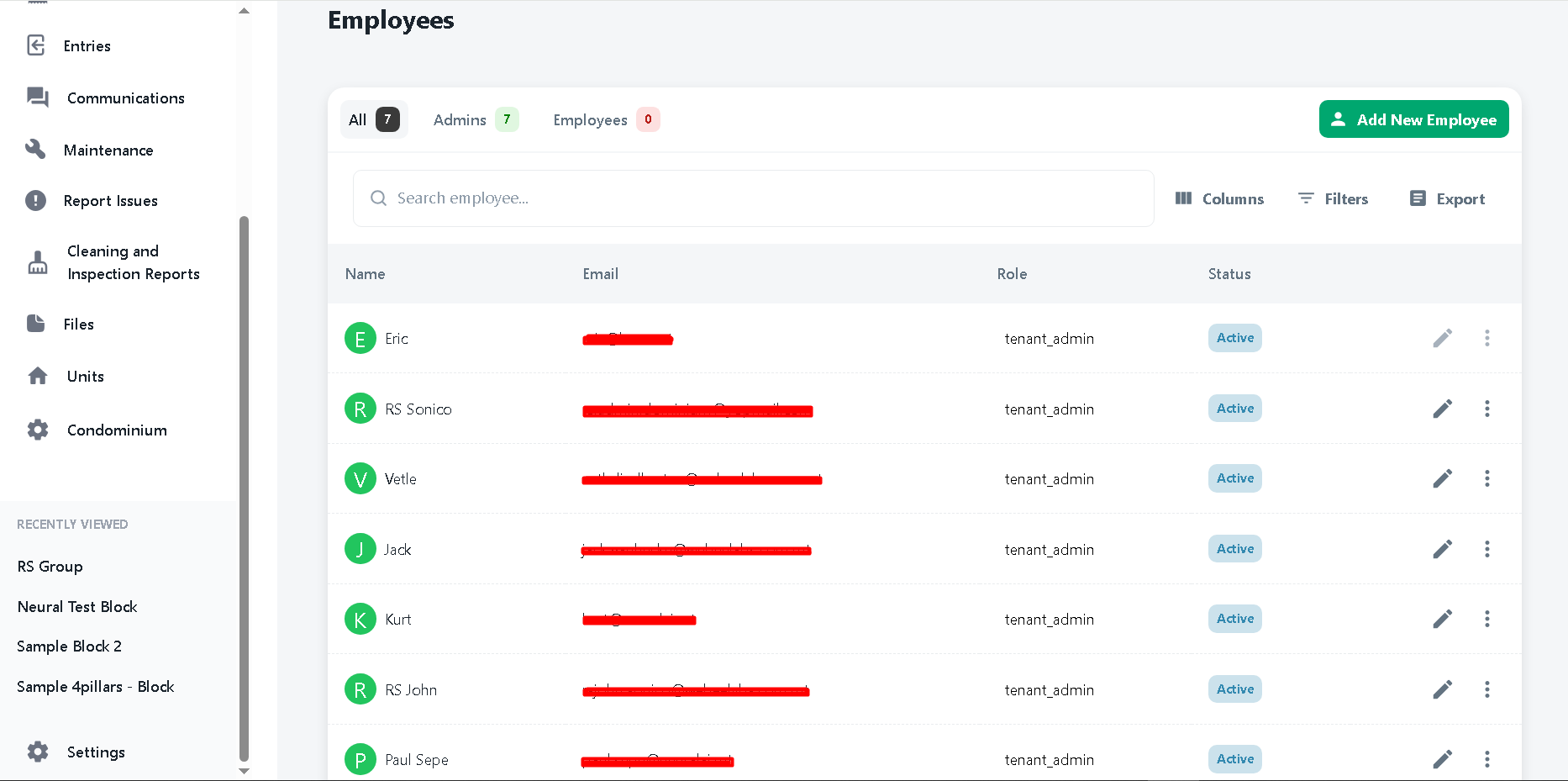
- Define roles: Admin, Block Manager, Employee
- Add and manage internal employee profiles
- Build a categorised supplier contact directory
- Classify suppliers as full-time staff or part-time contractors
- Assign work orders to staff or external contractors
- Automatic email notification to supplier on assignment
- 24-hour automated reminder before scheduled service
- Supplier performance tracking and service records
How Manage Employees and Suppliers Works
A closer look at what's under the hood.
Role-Based Access Control
Administrators define precise roles — Admins, Block Managers, and Employees — each with distinct access levels tailored to their responsibilities. This ensures team members see only what is relevant to their role, improving security and keeping operations organised. New roles can be configured at any time as your team grows or responsibilities shift.
Complete Employee Management
Add new employees to the system, update their details, manage their block assignments, and remove access when needed — all through a straightforward interface. Employee records include contact information, assigned blocks, and a complete log of tasks and work orders completed, giving administrators a clear picture of team workload and performance.
Comprehensive Supplier Directory
Build and maintain a categorised supplier database covering all specialist services — plumbing, electrical, general maintenance, landscaping, and more. Suppliers are classified as full-time staff or part-time contractors, giving administrators a clear picture of their workforce composition at a glance. Having all contacts organised within Dominium means the right contractor is always just a click away when a work request comes in. Supplier profiles include contact information, service categories, and a complete history of assigned jobs.
Automated Supplier Notifications
When a work request is assigned to a supplier, Dominium automatically dispatches a detailed email notification containing full task requirements and the scheduled work date. A follow-up reminder is sent automatically 24 hours before the appointment — reducing no-shows, improving service reliability, and saving administrators significant time on coordination.
Supplier Performance Tracking
Monitor supplier performance directly within the platform. Maintain records of all completed tasks, track response times and service quality, and manage supplier ratings over time. This data empowers administrators to make informed decisions about which contractors to retain — and to hold underperforming suppliers accountable with documented evidence.
Ready to see Manage Employees and Suppliers in action?
Book a free demo and we'll walk you through everything Dominium can do for your portfolio.